


If you are planning a DIY project or a quick trip to Bunnings, you already know how quickly tools, paint and hardware can add up. It is easy to go in for one specific item and walk out with a cart full of supplies. That is why many shoppers look for flexible payment options such as Buy Now, Pay Later (BNPL) to split costs.
This article will clearly explain whether you can use Afterpay at Bunnings, how the rules differ between online purchases and in-store purchases, and the hidden transaction limits you must know to avoid being declined at the register.
Yes, Bunnings does accept Afterpay for regular online shopping and in-store purchases, but there are some specific rules you need to know. For online orders, Afterpay will show up as a payment method at the checkout screen. For in-store shopping, you cannot just show a barcode; you must use the Afterpay Card through your phone’s digital wallet.
The part that confuses people is the difference between Bunnings retail, Bunnings Trade, online orders, Click & Collect, and paying inside the store. They can all feel like “shopping at Bunnings,” but the payment rules are not always the same.
Furthermore, Bunnings often caps in-store Afterpay transactions at $500, and you cannot use it to purchase Bunnings gift cards. So the safest answer is this: use Afterpay where it appears as a payment option, and check before you rely on it.
What Afterpay Means at Bunnings
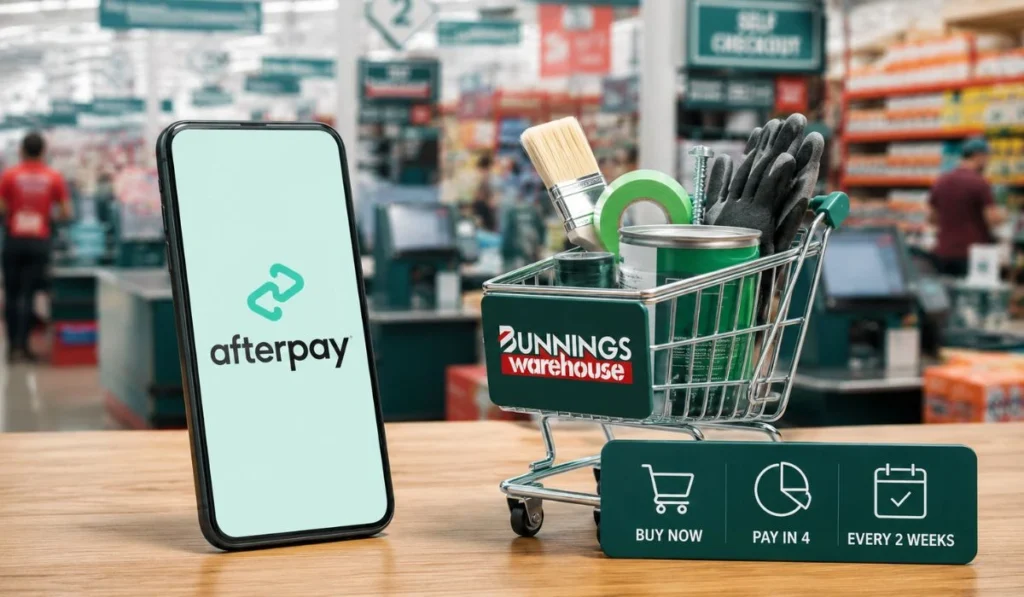
Afterpay is a buy now, pay later payment method. It lets you split a purchase into smaller payments instead of paying the full amount at once. A lot of people like using it for home improvement shopping because Bunnings trips can get expensive very fast.
You may go in for paint and come out with brushes, tape, screws, garden soil, gloves, and some random tool you suddenly need. It happens. Afterpay can make that kind of shop easier to manage, but it is still a payment plan. You still need to pay the full amount over time.
At Bunnings, the main thing is not only “does Bunnings do Afterpay?” The better question is “where are you trying to use it?” Online and in-store payments work differently, and trade accounts can have their own rules too.
Bunnings Afterpay Online Rules
Bunnings accepts Afterpay online for regular retail purchases when Afterpay is shown on the checkout page. This means you can shop on the Bunnings website, add your items to the cart, and then choose Afterpay from the payment options if it appears.
The checkout page matters more than anything else. If Afterpay is visible there, you can usually select it and continue through the payment process. If it is not visible, that order may not support Afterpay, or you may be using a different type of checkout.
This is where users often get mixed answers. Someone using the normal Bunnings website may see Afterpay. Someone using a trade-related checkout may not see the same thing. So both people may be telling the truth, just from different shopping paths.
For Click & Collect, the same basic rule applies. Since you normally pay online before picking up the order, you need to check whether Afterpay appears during checkout. If it appears, you can use it. If it does not, you will need another payment method.
Bunnings Afterpay In-Store Rules
You can use Afterpay in Bunnings stores, but it works differently from online shopping. In-store Afterpay is typically used with the Afterpay Card in your phone wallet, such as Apple Pay or Google Pay.
So, you are not looking for an “Afterpay” button at the physical checkout. You are paying with your phone. The Afterpay Card functions like a contactless payment card, and the payment is handled through your Afterpay account.
This is why setup matters. If your Afterpay Card is not active, or it is not added to your digital wallet, you may get stuck at the register. It is better to check before you shop, not after the cashier has already scanned everything.
Important In-Store Limit: Bunnings typically limits in-store Afterpay purchases to a maximum of $500. If your DIY project total is higher than this, you will need to pay the remaining balance using another card or cash.
Quick Comparison of Bunnings Shopping Types
| Shopping Type | Afterpay Rule | What to Do |
|---|---|---|
| Bunnings Online | Available when shown at checkout | Select Afterpay on the payment page |
| Bunnings In-Store | Used through Afterpay Card (Max $500) | Tap with Apple Pay or Google Pay |
| Click & Collect | Depends on online checkout | Check payment options before placing order |
| Bunnings Trade | May show different payment methods | Follow the trade checkout options |
The main thing to remember is simple. Online Afterpay is selected during checkout. In-store Afterpay is used through your phone wallet.
How to Use Afterpay Online at Bunnings
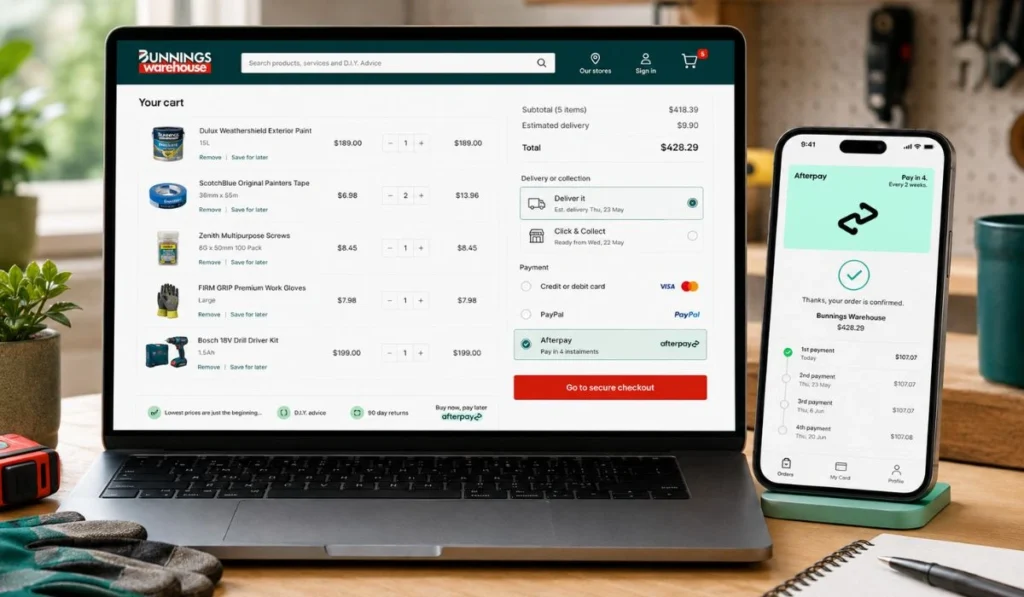
To use Afterpay online, start the order like you normally would. Then check the payment page before you confirm the purchase.
- Add your Bunnings products to the cart.
- Choose delivery or Click & Collect, depending on what you need.
- Go to checkout and look for Afterpay under payment options.
- Select Afterpay, sign in if asked, then check the repayment schedule before confirming.
If Afterpay does not appear, do not keep refreshing the page again and again. It may simply mean your order, account type, or checkout method does not support Afterpay at that moment. You can try changing the order, or use another payment option shown on the page.
How to Use Afterpay In-Store at Bunnings
For in-store shopping, set things up before you reach the counter. This saves time and avoids that awkward moment where the payment terminal declines and everyone is waiting behind you.
- Open the Afterpay app and check that your account is active. If you are completely new to the platform, check out our comprehensive Afterpay app guide for beginners to get verified quickly.
- Make sure your available Afterpay limit is enough for the purchase (and remember the $500 in-store Bunnings cap).
- Set up the Afterpay Card in the app if you haven’t done so before.
- Add the Afterpay Card to Apple Pay or Google Pay.
- At the Bunnings register, choose card payment and tap your phone.
- Keep the receipt, especially if you may need a return or exchange later.
This is not hard, but it does need your phone, wallet, and Afterpay account to be ready. If your phone battery is low or your wallet is not working, take another payment method with you just in case.
Why Afterpay May Not Work at Bunnings
Afterpay may fail at Bunnings even when Bunnings accepts it. That does not always mean the store has stopped taking Afterpay. Sometimes the issue is with your account, your order, or the way you are trying to pay.
Common reasons include:
- Afterpay is not showing for that specific online order.
- Your Afterpay spending limit is lower than the cart value.
- You are trying to buy a Bunnings gift card (which is restricted).
- Your linked debit or credit card has expired or is out of funds.
- The Afterpay Card is not properly configured in Apple Pay or Google Pay.
- You are using Bunnings Trade or PowerPass checkouts that operate under business payment rules.
- The payment terminal, app, or website is having a temporary server error.
If you run into an error during checkout, you can follow our step-by-step guide to fixing Afterpay not working to troubleshoot the issue and get it running again. If it still does not work, use another payment method so you can finish your purchase.
Can You Use Afterpay With Bunnings Trade or PowerPass?
Bunnings Trade and PowerPass payment rules can be different from normal Bunnings retail shopping. This is important if you are a tradie, business buyer, or someone ordering through a trade account.
A regular customer may see Afterpay on the normal Bunnings checkout. A trade customer may see other options instead, such as card, PayPal, Zip, Apple Pay, Google Pay, or PowerPass-related payments. So do not assume the retail payment rules will apply to the trade checkout.
If you are using Bunnings Trade, check the payment options inside that checkout. That is the most accurate place to see what you can use for your order.
Things to Check Before Paying With Afterpay at Bunnings
Before you use Afterpay, check the full order total. Bunnings purchases can grow quickly, especially when you are buying for a project. A few small extras can push the total higher than you expected.
Also check your repayment dates. Afterpay can make the first payment smaller, but it does not make the item cheaper. If you already have other Afterpay orders running, another payment plan may be harder to manage.
Keep your receipt after paying. If you return an item, the refund usually needs to go back through the original payment method. With Afterpay, your payment plan may be adjusted after the return is processed. It is not something to panic about, but it is better to keep proof of the purchase.
For bigger renovation costs, Afterpay may not always be the best fit. Bunnings may show other payment methods depending on the purchase. So compare what appears at checkout before deciding.
FAQs About Bunnings and Afterpay
Can I use Afterpay at Bunnings in-store?
Yes, you can use Afterpay in-store when your Afterpay Card is set up in your phone wallet. You usually tap your phone at the payment terminal through Apple Pay or Google Pay. Note that there is usually a $500 maximum limit for in-store transactions.
Can I use Afterpay on the Bunnings website?
Yes, you can use Afterpay online when it appears as a payment option at checkout. If it does not show that order may need a different payment method.
Can I use Afterpay for Bunnings Click & Collect?
Yes, if Afterpay appears during the online checkout. Click & Collect is usually paid online first, so the checkout page decides which payment options are available.
Why is Afterpay not showing at Bunnings checkout?
It may be due to the order type, product mix (like having gift cards in your cart), account type, payment settings or temporary checkout issue. If you are using a trade checkout, the payment options may be different.
Does Bunnings Trade accept Afterpay?
Bunnings Trade can have different payment options from normal retail checkout. If you are using Trade or PowerPass then check the payment page inside that system instead of relying on the regular Bunnings checkout rules.
What can I use if Afterpay does not work?
You can use another payment method shown at checkout. Depending on where you are shopping, this may include credit/debit cards, PayPal, Zip, Apple Pay, Google Pay, gift cards, or PowerPass-related payment options.
Final Thoughts
Bunnings accepts Afterpay, but the rules depend on how you shop. For regular online orders, check the payment page and choose Afterpay if it appears. For in-store shopping, use the Afterpay Card through Apple Pay or Google Pay up to the store’s transaction limit. For Bunnings Trade or PowerPass, check the trade checkout because the options can be different.
The best habit is to check before you rely on it. It only takes a moment, and it can save you trouble at checkout. Have you used Afterpay at Bunnings online or in-store, and did it work smoothly for you?