

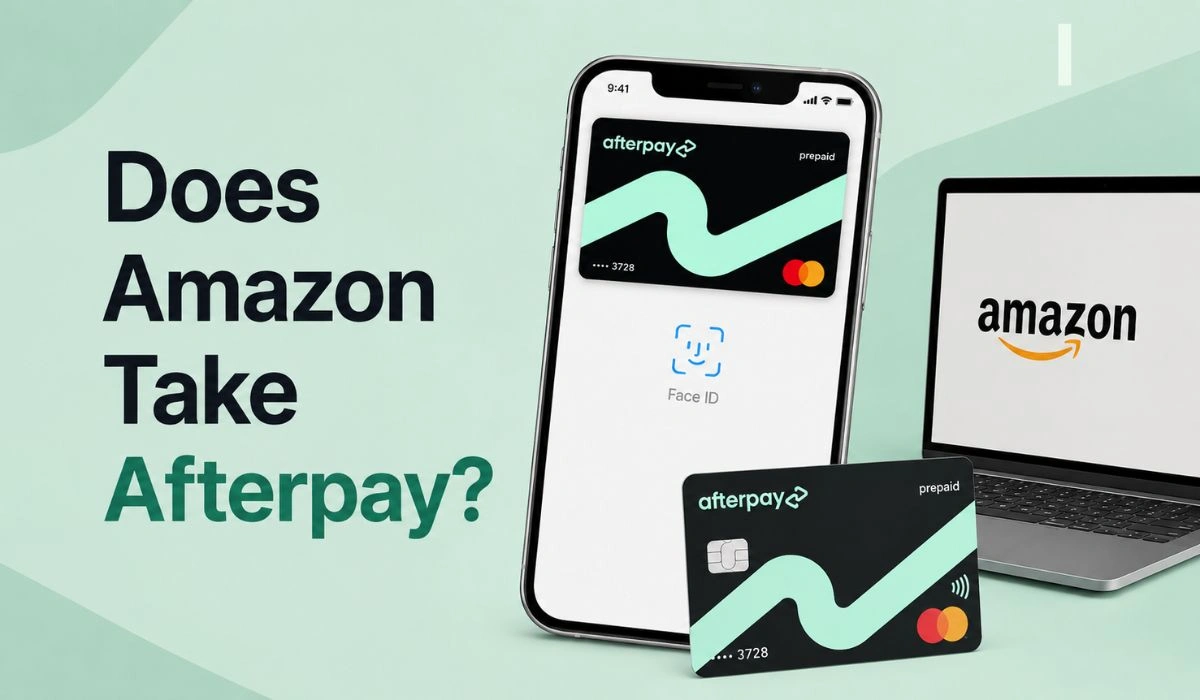
Quick Answer: Amazon does not take Afterpay directly as a normal checkout button like a debit card or credit card. But eligible shoppers may still use Afterpay for Amazon through the Afterpay app by creating a Single-use card and entering those card details at Amazon checkout. Afterpay says this process changed from February 2, 2026.
A lot of people want to use Afterpay on Amazon. It makes sense. Amazon sells almost everything, and Afterpay lets you split a purchase into smaller payments instead of paying the full amount at once.
But Amazon checkout can be confusing here. You may look at the payment page and not see “Afterpay” listed anywhere. That makes it feel like the answer is a simple no.
The real answer is a little more mixed. Amazon may not accept Afterpay as a built-in checkout option, but Afterpay does offer an Amazon shopping method through its app for eligible users. It just takes a few extra steps.
Does Amazon Accept Afterpay Directly?
Amazon does not take Afterpay directly at checkout. You normally see options like debit cards, credit cards, Amazon gift cards, and sometimes financing or installment choices based on your account.
Afterpay works differently for Amazon. Instead of choosing “Afterpay” inside Amazon checkout, eligible shoppers need to create a Single-use card inside the Afterpay app. Afterpay says shoppers can search for Amazon in the app, enter the purchase amount, create the card, and then use that card at Amazon checkout.
So the clean answer is this: Amazon does not accept Afterpay as a regular checkout button, but you may still be able to use Afterpay through the app.
Note for 2026: Unlike before, Afterpay’s card details no longer auto-fill at Amazon checkout for affected customers. You’ll need to manually copy the card number, CVV, expiry date, and name from the Afterpay app and paste them into Amazon’s payment section.
How to Use Afterpay on Amazon: Quick Steps
Here’s the simple version if the option is available in your Afterpay app.
- Open the Afterpay app and search for Amazon.
- Add items to your Amazon cart through the Afterpay shopping flow.
- Tap the buy now, pay later option at the bottom of the screen.
- Enter the full Amazon total, including tax and shipping, to generate a Single-use card.
- At Amazon checkout, select “Add a Credit or Debit Card.”
- Copy and paste the Afterpay card number, expiry date, CVV, and name into Amazon.
- Do not save this card as your default payment method.
That last point matters. A single-use card is made for one order. It is not meant to sit in your Amazon account as a normal saved card for later purchases.
Pro Tip: Include Tax and Shipping Before You Create the Card
This is where many people mess up. The Single-use card needs to cover the full Amazon checkout total. Not just the item price.
Always include extra room for taxes and shipping when entering your card amount. A safe habit is to add about 10 to 15 percent more than the item price if you’re not sure of the final total yet. Afterpay also warns users to include taxes and shipping costs when creating the purchase amount. Any unused amount is returned.
If the final Amazon total is even a little higher than the Afterpay card value, the transaction may fail. So if your cart is $100 before tax and shipping, don’t create a card for exactly $100. That’s asking for a decline.
What Buy Now Pay Later Options Can You Use on Amazon?
Amazon payment options can change based on your country, account, product, and checkout type. Some shoppers may see installment offers, store card financing, or pay-over-time choices. Others may not.
Affirm is the most important BNPL name to know here. Amazon and Affirm have worked together on pay-over-time options, and Amazon Pay also supports Affirm for eligible purchases at participating Amazon Pay merchants.
| Payment Option | How It Works | Good to Know |
|---|---|---|
| Afterpay | May work through the Afterpay app with a Single-use card | Not a normal Amazon checkout button |
| Debit card | Pays from your bank account | Simple and avoids extra debt |
| Credit card | Lets you pay Amazon now and repay the card later | Interest can apply if you carry a balance |
| Amazon gift card | Uses gift card balance at checkout | Must be bought and redeemed first |
| Amazon Store Card or Amazon Visa | Amazon-linked credit options | Credit approval may be required |
| Affirm | Pay-over-time option for eligible purchases | Availability can vary by account and checkout type |
Don’t assume every option will appear for every order. Amazon may show different payment choices depending on what you’re buying and where you live.
Can You Use Afterpay for Amazon Gift Cards?
Some people try to use Afterpay by buying Amazon gift cards first. The idea is simple. Buy an Amazon gift card through a place that accepts Afterpay, then use the gift card on Amazon.
This may work for some users, but it’s not guaranteed. Afterpay says gift card access can depend on the customer and the gift cards available in the app. Some gift card purchases may also have restrictions or fees.
So yes, gift cards can be a possible route. But it’s not the smoothest one. If the Amazon gift card option is not available, or the purchase gets declined, you may need to use another payment method.
Afterpay vs Amazon Payment Options
Afterpay is useful when you want to split a purchase into smaller payments. But it is not the same as every other Amazon payment method.
| Option | Best For | Main Risk |
|---|---|---|
| Afterpay Single-use card | Splitting eligible Amazon purchases through the app | Manual entry, approval issues, wrong card amount |
| Debit card | Buying only with money you already have | Less flexibility if cash is tight |
| Credit card | Rewards and short-term flexibility | Interest and credit card debt |
| Amazon gift card | Using prepaid balance | Harder to adjust if plans change |
| Affirm | Larger eligible purchases with pay-over-time plans | Approval and possible interest depending on plan |
If you want the simplest option, a debit card is usually the cleanest. If you want installments, Afterpay or Affirm may help, but read the payment terms before you confirm anything.
And one small budgeting tip: try not to use a credit card to pay for a buy now, pay later plan. That can turn one purchase into two layers of debt. It gets messy fast.
A Quick Budgeting Tip:- Try not to use a credit card to pay for a buy now, pay later plan. This effectively turns one purchase into two layers of debt, which can get messy fast. Using a credit card to pay off Afterpay can be risky for your financial health in the long run. To understand how this might impact your financial future, read our guide on Does Afterpay Affect Your Credit Score to understand the long-term impact.
Tips Before Using BNPL for Amazon Purchases
Before using Afterpay, Affirm, or any buy now, pay later service on Amazon, check the final amount first. Include taxes, shipping, and any possible fees.
Keep your due dates clear too. BNPL payments are easy to forget because they feel small. But several small payments can hit your account in the same week and mess up your budget.
Only use Afterpay for purchases you already planned to make. It’s not a great idea to use it for random impulse shopping. Amazon makes it very easy to add things to your cart, and that’s exactly where people get into trouble.
A simple rule helps: if you wouldn’t buy it with your debit card today, think twice before splitting it into payments.
Also, after the order is complete, remove the single-use card from your saved Amazon payment methods if it was saved by mistake. You’ll create a new card for a new order, so keeping old single-use cards can only make checkout more confusing later.
FAQs About Amazon and Afterpay
Can I use Afterpay on Amazon?
You may be able to use Afterpay on Amazon through the Afterpay app by creating a Single-use card. But Amazon does not usually show Afterpay as a direct checkout option.
Why doesn’t Amazon show Afterpay at checkout?
Amazon has its own checkout system and supported payment methods. Afterpay may work through the app, but it may not appear as a built-in Amazon checkout button.
Do Afterpay card details auto-fill on Amazon?
For affected customers, no. Since February 2, 2026, Afterpay says the Amazon single-use card details no longer automatically populate. Users need to copy and paste the card details manually.
Why did my Afterpay card fail on Amazon?
The most common reason is that the Amazon total is higher than the single-use card amount. Make sure your card amount includes the item price, tax, shipping, and any extra charges.
Does Amazon accept Affirm?
Yes, Affirm is connected with Amazon in some pay-over-time options, including Amazon Pay and Amazon Business for eligible users and purchases. Availability can vary.
Can I buy Amazon gift cards with Afterpay?
Some users may see gift card options through Afterpay, but access can vary. Gift card purchases may also have restrictions, so check the app before relying on this method.
Why did my Afterpay card fail on Amazon?
The most common reason is that the final Amazon total (including tax and shipping) exceeds the single-use card amount you generated. However, if your payment keeps failing even with the right amount, there might be a deeper issue with your account status or app glitches. Check out our Afterpay Not Working troubleshooting guide for more fixes.
Final Thoughts
Amazon does not offer Afterpay as a standard checkout option, but eligible shoppers can still use it through the app with a Single-use card. The big 2026 change is that you may need to copy and paste the card details yourself instead of expecting them to auto-fill.
Before using it, check the full Amazon total, add enough for tax and shipping, and don’t save the single-use card as your default payment method. Afterpay can be useful when the purchase already fits your budget. But if you’re using it just to make an expensive cart feel smaller, slow down a bit.
Have you tried using Afterpay on Amazon through the app, or did your card fail at checkout? Comment with what happened so others can learn from it too.