

Quick Answer: If Afterpay is not working, it is usually due to insufficient funds (the 25% rule), unverified identity (KYC), or spending limit restrictions. While Afterpay servers are fully operational today (May 12, 2026), many users still face “Technical Freezes” on Walmart and Cash App Pay. To fix it, check your available balance, disable VPNs, or try a smaller order first.
It is incredibly frustrating when you are ready to checkout and Afterpay says “No.” Whether you are shopping in the USA, Canada, Australia, or New Zealand, Afterpay’s “Risk Engine” is always monitoring your behavior.
Many users assume the app is broken, but in reality, the system is simply blocking a specific transaction based on your account health or merchant rules.
In this guide, I will show you exactly why this happens and provide expert fixes to get your Afterpay account working again.
Why Is Afterpay Not Working?
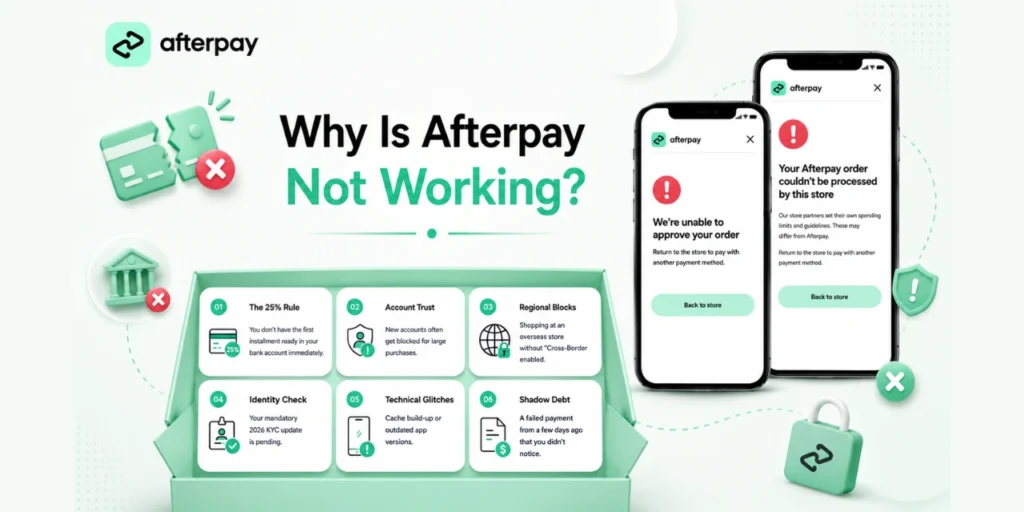
Afterpay doesn’t just crash; it actively stops payments that don’t meet its 2026 safety standards. Here are the main culprits:
- The 25% Rule: You don’t have the first installment ready in your bank account immediately.
- Account Trust: New accounts often get blocked for large purchases.
- Regional Blocks: Shopping at an overseas store without “Cross-Border” enabled.
- Identity Check: Your mandatory 2026 KYC update is pending.
- Technical Glitches: Cache build-up or outdated app versions.
- Shadow Debt: A failed payment from a few days ago that you didn’t notice.
If you are trying to buy something expensive and the option is missing, it might be because the store doesn’t support financing. Check out our in-depth dive on How Afterpay Monthly Payments Work to see if your order qualifies.
How to Fix Afterpay Payment Issues
If you are stuck at the checkout screen or keep seeing that annoying “Declined” message, don’t panic. Most of the time, the issue isn’t a permanent ban—it’s just a temporary hurdle that you can clear in a few minutes.
1. Clear the “25% Rule” and Bank Buffer
The most common fix is simply ensuring your bank account has a “buffer.” If you are buying something for $100, don’t just keep $25 in your card. This is where most people get stuck because they think the math is simple.
In reality, banks often place a small temporary “pending” hold on digital transactions, which can make your $25 look like $24.80 to Afterpay’s strict system. When that happens, the payment fails instantly. Always keep an extra $10 to $15 in your account above the required 25% to ensure the “Authorization” goes through.
2. Resolve the Cash App Pay Connection Bug
If you are using Afterpay through Cash App and facing constant declines, your digital token might be “stale.”
- Go into your Cash App settings, manually unlink your Afterpay account, and then re-link it fresh.
This refreshes the connection and usually fixes the “Declined” message instantly.
3. Use the “Account Warm-up” Strategy
If Afterpay is declining a large purchase, it’s usually because their “Risk Engine” doesn’t trust your account for that specific amount yet. A proven workaround is to “warm up” the algorithm.
Try buying a very small item first, like a $10–$20 essential. Once that small transaction is approved, the system’s trust level for your account spikes. You will often find that your larger, previously declined order gets approved just an hour or two later.
4. Complete the Biometric KYC Identity Check
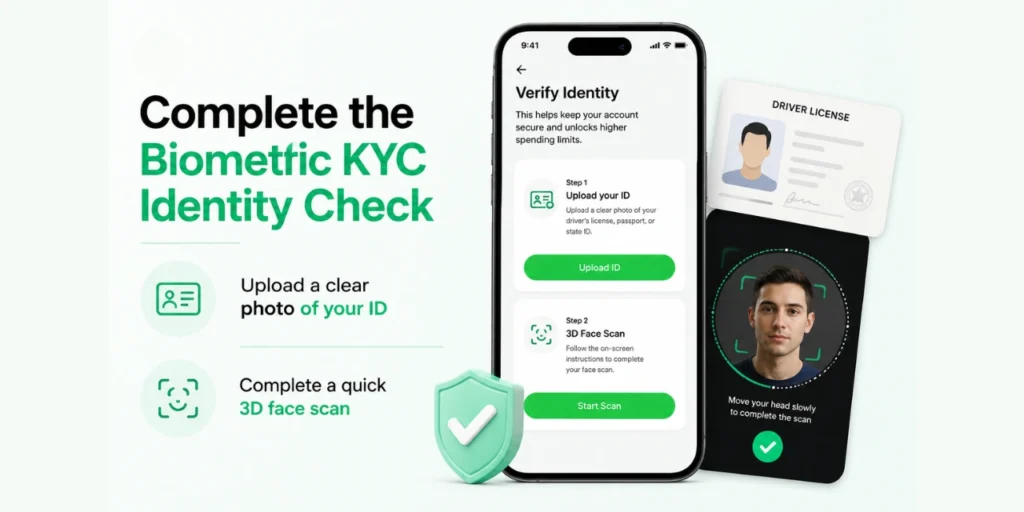
By 2026, financial regulations in the US, Australia, and New Zealand have become incredibly tight. If your account has suddenly stopped working for every store, you’ve likely been hit by a mandatory identity verification check.
Go into your profile settings and look for the “Verify Identity” prompt. You’ll need to upload a clear photo of your ID and do a quick 3D face scan. It’s the only way to unlock high spending limits and restore your account to full health.
5. Disable VPNs and Local Network Masks
Afterpay treats VPNs as a massive red flag for fraud. If your phone is running a VPN to hide your IP, the system assumes someone is trying to “hijack” your account.
Turn off any VPN software, switch off public Wi-Fi, and use your local 5G or 4G mobile data instead. Restart the app after doing this. When Afterpay sees a clean, local connection from your trusted provider, the security barrier usually drops instantly.
6. Check for “Shadow” Overdue Payments
A “Shadow” late payment happens when a previous installment failed—maybe because of a bank glitch—but didn’t trigger a big red warning. These failed transactions hide in your history and block all future purchases.
Manually go into your “Activity” tab and check your most recent orders. If you see anything stuck on “Processing” or “Failed,” pay it off right then and there. Your spending power usually returns the moment your balance hits zero.
7. Re-link Your Payment Card
Delete your debit card from the app, log out, and add it back as a new payment method. This refreshes the authorization with your bank and can bypass “expired link” errors that happen after app updates.
Quick Technical Fixes (Afterpay App & Connectivity)
Sometimes the problem isn’t your account; it’s just a glitch in the technology. If the app is freezing, crashing, or stuck on the loading screen, these quick steps usually clear the path in seconds.
- Check Server Status: If the Afterpay app isn’t loading, check a status tracker to see if the service is down globally. If it is, you’ll need to wait 30-60 minutes for a fix.
- Fix Walmart & Target Freezes: If the checkout screen freezes, uninstall the Afterpay app and reinstall it. This removes corrupt scripts per store which result in infinite loading loops.
- Solve the SMS Login Loop: If the SMS login code does not arrive, toggle Airplane Mode on and off. Avoid the delay or unreliable IP blocks that carriers may experience by switching from WiFi to mobile data.
- Clear Mobile Cache (Android): Tap Settings > Apps > Afterpay > Storage > Clear Cache. This will clear junk files that prevent the payment pop-up from reappearing.
- Update the App Manually: Check the Play Store or App Store for the latest security patch update. Even being one version behind can break the “Handshake” with major retailers.
If your account is still declining after following all these steps, Afterpay may have restricted your account. In this case, you should speak directly to Afterpay Customer Service.
Final Thoughts
Afterpay is not only a straightforward payment button, but it’s a smart AI system that appreciates consistency. Make sure to pay your installments as early as a day if you can so that everything goes smoothly. This creates a “clean” user profile that Afterpay’s algorithm is drawn to approving.
Did one of these fixes solve your problem? Let us know in the comments which store was giving you trouble!