

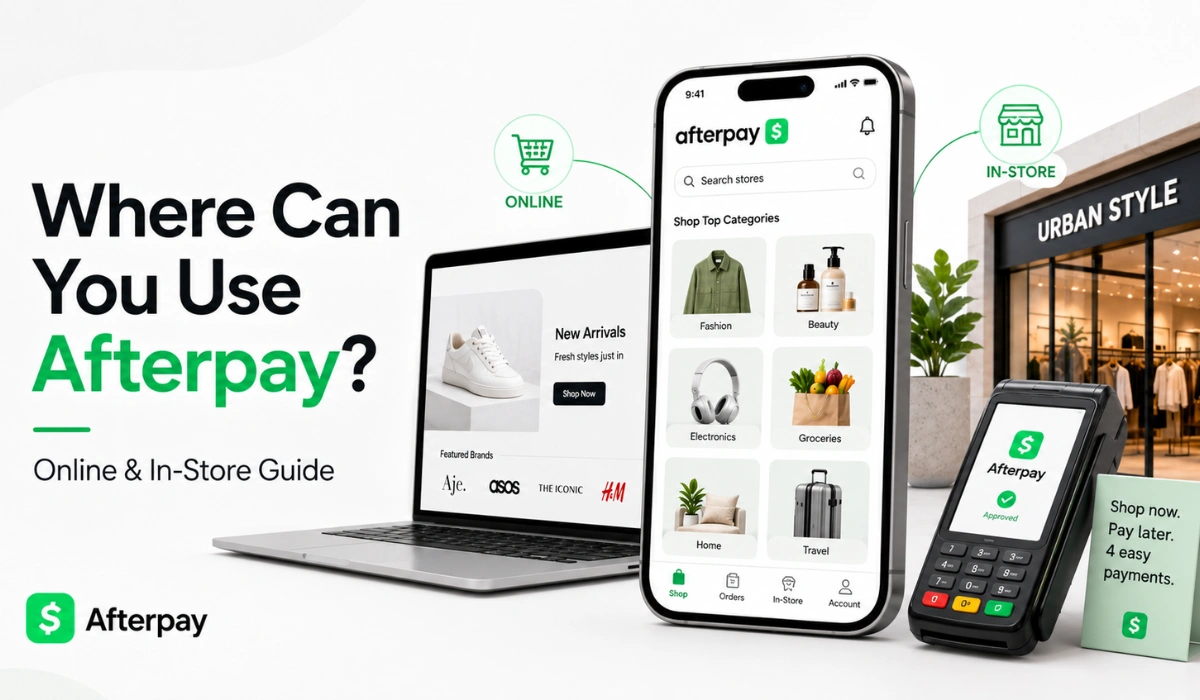
Quick Answer: You can use Afterpay at participating stores online and, in some cases, in physical stores. The best way to check is through the Afterpay app, the Afterpay website store directory, or the store’s checkout page. If Afterpay does not show at checkout, that order may not qualify.
If you’re planning to buy something with Afterpay, the first question is simple: where can you use it? You may see Afterpay on one store’s checkout page, then not see it on another. That can be confusing, especially if you’re new to buy now, pay later shopping.
Afterpay can work online, in stores, and through its app or website store directory. But it does not work everywhere. Store availability can depend on the retailer, location, product type, order amount, and your account. So before you shop, it’s better to check first instead of guessing at checkout.
In this guide, you’ll learn where Afterpay may be available, how to check stores in the app or on the Afterpay website, how online stores and in-store use can differ and why Afterpay may not show at checkout.
Where Can You Use Afterpay?
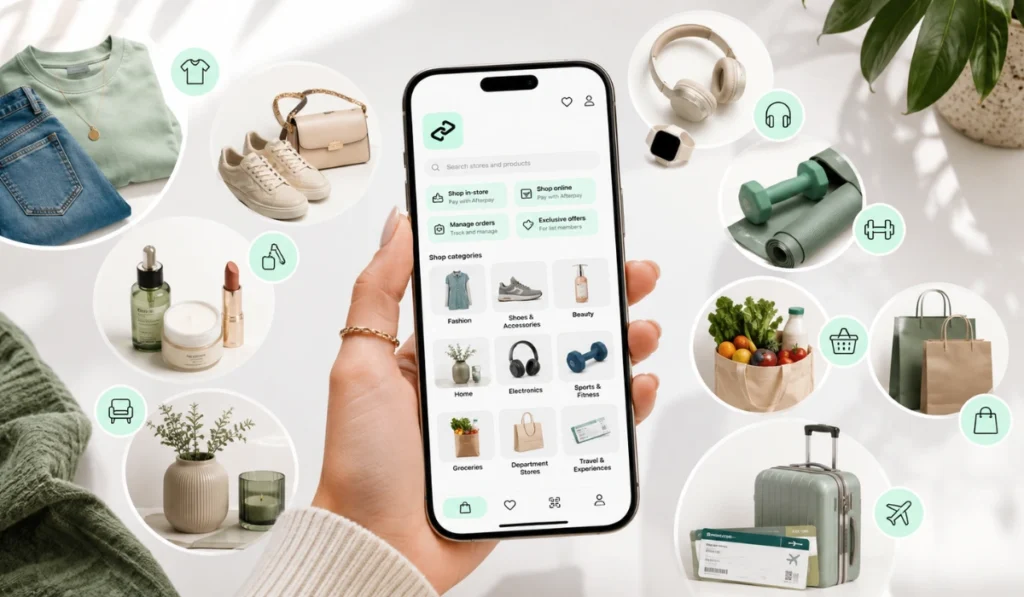
You can use Afterpay at stores that offer it as a payment option. These are often called participating stores or participating retailers. Some stores let you use Afterpay online. Some may support it in-store. A few may support both.
A simple way to think about it: Afterpay is available only when the store supports it and your order qualifies. Seeing a store listed in the app or website can be helpful, but the final checkout screen still matters.
Afterpay may be available across many shopping categories, such as:
- Clothing and fashion
- Shoes and accessories
- Beauty and skincare
- Home goods
- Electronics
- Sports and fitness
- Department stores
- Groceries or local stores, where supported
- Travel, tickets, or gift cards, where allowed
Don’t treat this as a guarantee for every brand. It’s a category-level idea. Always check the store itself before buying.
Can You Use Afterpay Anywhere?
No, you cannot use Afterpay anywhere. This is one of the biggest things beginners need to know. Afterpay is not like a normal debit card that works at almost every store.
A retailer has to offer Afterpay as a payment method. Even then, your exact order may still need to qualify. Some stores may accept Afterpay for online orders but not for in-store purchases. Some may show Afterpay for certain items but not for others.
Your account can also affect approval. If a purchase is not approved, it does not always mean the store is the problem. It may be the order amount, account status, payment method, or another rule at checkout.
So the best answer is: you can use Afterpay where it is offered, but you should always confirm before placing an order.
How to Check If a Store Accepts Afterpay
The safest move is to check in more than one place. Store lists can change, and checkout options can change too. If you really want to avoid trouble, use the Afterpay app, the Afterpay website, and the store’s own checkout page.
Search in the Afterpay App
The Afterpay app is one of the easiest places to start. You can search for stores, browse categories, and see brands that may support Afterpay. The app may also show online or in-store options, depending on the store and your location.
This is useful when you’re shopping from your phone. You can search the store name, open the store page, and see what payment options are shown. If you’re planning to shop in person, check whether the app shows in-store availability before you leave.
Still, don’t stop there. App listings are helpful, but the final checkout step is where you confirm if your exact order works.
Search on the Afterpay Website
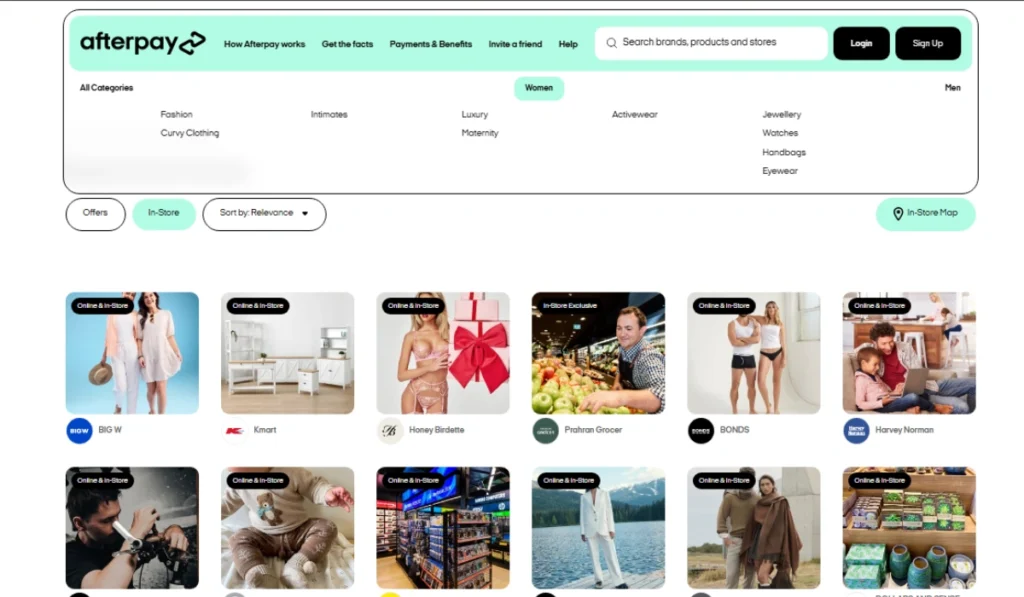
You can also check the Afterpay website. Afterpay has store and category pages where shoppers can browse brands, products, and store types. For example, you may see categories like department stores, fashion, beauty, home, or other shopping groups.
Some pages also show filters like online, in-store, offers, or sort options. That can help if you are trying to find stores that support in-store Afterpay instead of only online shopping.
This is helpful for desktop users too. If you’re on a laptop, it may be easier to search the Afterpay website first, then visit the store’s checkout page to confirm. Simple, but it works.
Check the Store’s Checkout Page
The checkout page is still one of the strongest checks. Add your item to the cart, go to checkout, and look at the payment methods. If Afterpay is available for that order, it may appear as an option.
Sometimes Afterpay does not show until later in checkout. You may need to enter shipping details or reach the payment step first. That does not always mean anything is wrong. It just depends on how the store’s checkout is built.
Before you confirm the order, review the first payment, future payment dates, and total amount. This part matters because you’re agreeing to a payment plan, not just clicking another payment button.
Review the Store’s Payment Policy
Some stores have a payment information page that lists accepted payment methods. This can be useful when Afterpay is not clear at checkout or when you’re planning a larger purchase.
Look for terms like payment options, buy now pay later, Afterpay, accepted payment methods, or checkout help. If the store says Afterpay is not accepted, then the app or checkout may not help for that purchase.
How to Use Afterpay Online
Using Afterpay online is usually pretty simple when the store supports it. You shop on the retailer’s website, add items to your cart, and go to checkout. If Afterpay is available, it may appear with the other payment methods.
The usual flow looks like this:
- Choose your items from a participating online store.
- Go to checkout.
- Select Afterpay if it appears.
- Review the payment schedule.
- Complete the order if approved.
The store handles the product, shipping, delivery, and returns. Afterpay handles the payment plan. That difference matters if something goes wrong with the order. For product issues, the store is usually the first place to check. For payment plan questions, your Afterpay account may show more details.
How to Use Afterpay In Store
In-store Afterpay can work, but it may need the app or an Afterpay Card option. Some users may be able to use a virtual card through a mobile wallet at participating stores. This depends on the store, location, checkout system, and account options.
Do not assume every physical store accepts it. Even if a brand accepts Afterpay online, the same brand may not support it at the register. That’s annoying, yes, but it happens.
Before visiting a store, check the Afterpay app or website for in-store availability. If the store page shows in-store support, you can then check the app instructions for that payment option. If no in-store option appears, the store may only support Afterpay online.
Online vs In-Store Afterpay Use
Online and in-store Afterpay are related, but they are not always the same experience.
| Feature | Online Afterpay | In-Store Afterpay |
|---|---|---|
| Where it happens | Store website or app | Physical store checkout |
| Best way to check | Store checkout page | Afterpay app or website store listing |
| Common tool | Online checkout | App, virtual card, or mobile wallet |
| Availability | Depends on store and order | Depends on store, location, and account |
| Best habit | Review payment schedule before buying | Check in-store support before visiting |
For beginners, online shopping is often easier to understand because the payment option appears during checkout. In-store use needs a bit more checking first.
What Types of Stores May Accept Afterpay?
Afterpay is often used for shopping categories where people want to split a purchase into smaller payments. You may find it around fashion, beauty, home goods, electronics, and department store categories.
Common store types may include:
- Fashion and clothing stores
- Shoe and accessory stores
- Beauty and skincare brands
- Home and furniture stores
- Electronics retailers
- Department stores
- Fitness and sports stores
- Some grocery or local store categories, where supported
- Gift card or travel categories, where allowed
The safer way to write this is “may accept,” not “always accept.” Store support can change. A retailer may update payment methods, remove a buy now pay later option, or limit it to certain checkout types.
Why Afterpay May Not Show at Checkout
Sometimes you expect Afterpay to appear, but it does not. That can happen for several reasons. It does not always mean the app is broken or your account has a serious issue.
Afterpay may not show because:
- The store does not accept Afterpay
- The item is not eligible
- The cart total does not meet checkout rules
- The store supports Afterpay online but not in-store
- Your account is not eligible for that order
- Your payment method needs attention
- There is a temporary app or checkout issue
This is where checking matters. If Afterpay is not showing, try reviewing the cart, store policy, and payment method first. If it still does not appear, that order may not support Afterpay.
Tips Before Using Afterpay at a Store
Before using Afterpay, slow down for a minute. It can make checkout feel easier, but you still need to pay the full amount over time.
Here are a few simple tips:
- Check the Afterpay app before shopping.
- Search the Afterpay website store directory.
- Confirm the payment option at checkout.
- Review the first payment amount.
- Look at future payment dates.
- Read the store’s return policy.
- Do not assume every item qualifies.
- Keep track of open orders in your account.
The main thing is to avoid surprises. A few quick checks can save you from standing at checkout wondering why the payment option is missing.
FAQs About Where You Can Use Afterpay
Can I use Afterpay anywhere?
No. Afterpay only works where it is supported. The store, order, checkout method, and your account can all affect whether it appears.
How do I know if a store accepts Afterpay?
Check the Afterpay app, the Afterpay website store directory, and the store’s checkout page. The final checkout screen is usually the best confirmation.
Can I use Afterpay for online shopping?
Yes, you may be able to use Afterpay online at participating retailers. If it is available for your order, it should appear during checkout.
Can I use Afterpay in physical stores?
In some cases, yes. In-store use may depend on the app, virtual card options, mobile wallet support, store location, and checkout system.
Why is Afterpay not showing at checkout?
The store or order may not support Afterpay. It may also be due to item rules, cart total, account eligibility, or payment method issues.
Does the Afterpay website show stores too?
Yes, the Afterpay website and mobile app feature a “Shop Directory” where you can browse thousands of online and in-store retailers.
Final Thoughts
You can use Afterpay at participating stores online and sometimes in-store. The key is to check first. Use the Afterpay app, search the Afterpay website, and confirm the option on the store’s checkout page before buying.
Afterpay can be helpful when it works for your order, but it is not accepted everywhere. Take a minute to check the store, payment schedule, and return rules. That small step can make the whole process much easier.
Have you tried to use Afterpay at a store where it did not show up? Drop a comment and share whether it happened online or in-store.