

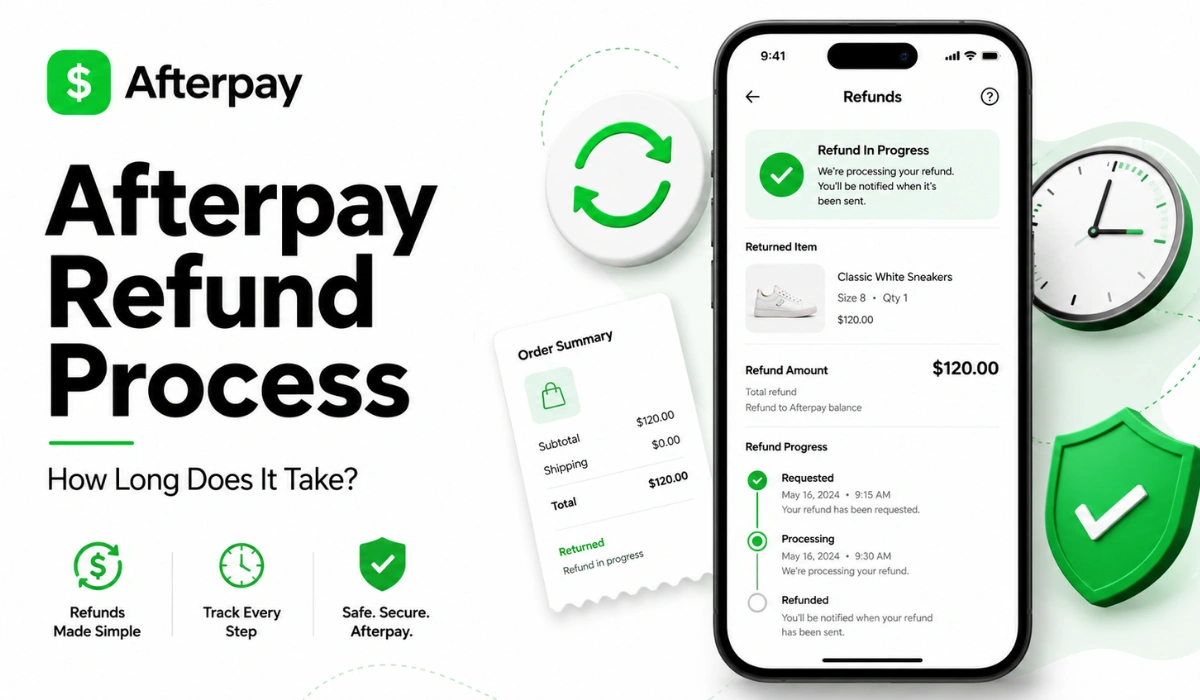
Quick Answer: An Afterpay refund usually starts with the store. The merchant has to approve or process the refund first. After that, Afterpay updates your order or payment schedule. If money is owed back to your card, it can take up to 10 business days to appear, depending on your bank.
Waiting for an Afterpay refund can be frustrating. You returned the item, or maybe the order was canceled, but the money still has not shown up. Then you check the Afterpay app, your card, your email, and everything feels a little unclear.
The main thing to know is that an Afterpay refund usually involves more than one step. The store plays a big role. Afterpay updates your payment plan after the merchant processes the refund. Your bank or card provider may also need time to post the money back.
This guide covers how the Afterpay refund process works, how long it may take, what happens to payments, and what to check if your refund is delayed.
How the Afterpay Refund Process Works
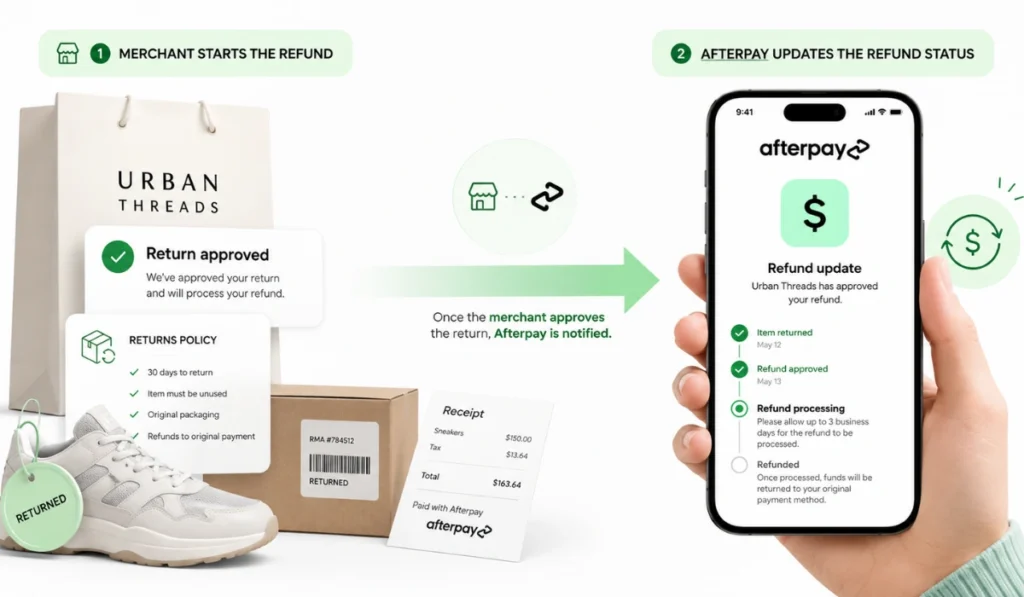
The Afterpay refund process usually starts with the merchant, not Afterpay. That means the store has to accept your return, cancel the order, or approve the refund in its own system first.
This matters because Afterpay does not control every store’s return policy. The merchant decides whether your item can be returned, whether it qualifies for a refund, and how the return is handled. Afterpay’s help information says returns are subject to the merchant’s refund policy.
Step 1: The Store Reviews the Return or Cancellation
The first step is the store’s review. If you mailed back an item, the store may wait until it receives and checks the return. If the order was canceled before shipping, the process may be faster. But not always.
Some stores process returns quickly. Others take a few days, especially during busy shopping periods. If the store has not processed the refund yet, your Afterpay order may still look active.
So if your refund is not showing, check your merchant return confirmation first. That email or return status can tell you if the store has done its part.
Step 2: Afterpay Updates the Order
After the merchant processes the refund, Afterpay can update your order. This may change your payment schedule, reduce your balance, or cancel future payments if the refund covers the full order.
Afterpay says that once a refund is processed by the merchant, it will reflect in the Afterpay app and payments will be adjusted based on the refunded amount. In some cases, the refund can take 3 to 5 days to reach the Afterpay order.
That is why checking the app matters. Your card may not show money back yet, but your Afterpay payment schedule may already look different.
Step 3: The Refund Goes Back to the Original Payment Method
If you are owed money back, the refund usually goes back to the card used to make the payments. Afterpay notes that refunds go back to the card used for each installment. If you used different cards for different payments, refunds may not all arrive at the same time.
This can confuse people. You may expect one full refund in one place, but the money may return in smaller amounts to different cards.
How Long Does an Afterpay Refund Take?
Afterpay refund timing can vary. The store must process the refund first. After that, Afterpay updates your order. Then your bank or card provider may need time to post the money.
Afterpay’s U.S. help page says refunds can take up to 10 business days to show in your bank account, depending on your financial institution.
A few things can affect the refund timeline:
- How fast the store approves the return
- Whether the item was mailed back
- Whether the refund is full or partial
- Whether the order was canceled before shipping
- The card or bank used for the payment
- Weekends or holidays
- Whether different cards were used for installments
A simple way to think about it: store first, Afterpay next, bank last. Not every case is perfect, but that order explains why refunds can feel slow.
Always be vigilant while waiting for a refund. If you receive any suspicious text messages claiming to expedite your refund, it could be a scam. Read our Afterpay Text Scam Guide to keep your account safe.
Full Refund vs Partial Refund: What Changes?
A full refund and partial refund do not always affect your Afterpay account the same way. This is where many users get stuck.
| Refund Type | What It Usually Means | What to Check |
|---|---|---|
| Full refund | The full order is refunded or canceled | Check if future payments are canceled |
| Partial refund | Only part of the order is refunded | Check if your remaining balance changed |
| Store credit | Store gives credit instead of money back | Check if your Afterpay balance still remains |
| Canceled order | Order may be reversed before shipping | Check if Afterpay shows the order updated |
A partial refund may only reduce what you still owe. It may not cancel the whole plan. For example, if you return one item from a larger order, you may still have payments due for the items you kept.
Store credit is another tricky one. If the store gives you credit instead of a refund through the original payment flow, your Afterpay payment plan may not change the way you expected. Always check the store’s return policy before assuming.
What Happens to Your Afterpay Payments After a Refund?
Your Afterpay payments may be adjusted after the refund is processed. If the refund covers the full order, future payments may be canceled. If you already paid some installments, money may be returned to the card used for those payments.
If it is a partial refund, Afterpay may reduce the remaining balance or adjust upcoming payments. You may still owe money if the refund does not cover the full purchase.
Here is the important part: do not assume future payments stop just because you returned the item. Afterpay says the original payment schedule continues until the merchant confirms and processes the refund.
That may feel annoying, but it is why you should keep checking the app. If the payment is still listed as due, do not ignore it without checking the order status.
How to Check Your Afterpay Refund Status
You should check both the store side and the Afterpay side. Looking only at your bank account can make the process more confusing.
Start with the store. Look for a return confirmation email or refund approval. If the merchant has not approved the return, Afterpay may not have anything to update yet.
Next, open the official Afterpay app. Look at the order, payment schedule, and refund activity. If the merchant processed the refund, the order may show a reduced balance or canceled future payments.
Then check your original payment method. If money is coming back to your card, your bank may need time to post it. If it has been more than the expected bank processing window, Afterpay says users should contact their bank.
Keep your return receipt and refund emails until everything is complete. It is a small thing, but it helps if you need to ask the store or Afterpay about the refund later.
Why Your Afterpay Refund May Be Delayed
Refund delays happen for a few normal reasons. It does not always mean something is wrong.
Your refund may be delayed because:
- The store has not received the return yet
- The merchant has not approved the refund
- The return is still being inspected
- The order received only a partial refund
- The refund went back to a different card
- Your bank has not posted the money yet
- A weekend or holiday slowed processing
- The Afterpay app has not updated yet
If you used the Afterpay Card for an in-store return, Afterpay says the refund goes back to the Afterpay Card first. Afterpay then refunds the user, and it may take up to 10 days to reflect in the Afterpay account.
So yes, timing can be a little messy. The best move is to check each step instead of guessing.
Should You Contact Afterpay or the Store About a Refund?
Who you contact depends on where the refund is stuck. If the store has not approved the return yet, contact the store first. If the store already processed the refund but your Afterpay account still looks wrong, then Afterpay support may be the better next step.
| Situation | Who to Check First |
|---|---|
| Return not approved yet | Store or merchant |
| Return package not received | Store or shipping carrier |
| Refund approved but Afterpay not updated | Official Afterpay support |
| Payment schedule looks wrong | Afterpay app or support |
| Money not back on card | Bank or card provider |
Do not use random support numbers from comment sections or search results. Use the official store support or official Afterpay help options. Refund problems already feel stressful. No need to add scam risk on top.
What Not to Do During an Afterpay Refund
Try not to rush or make guesses during a refund. A few common mistakes can make things more confusing.
Do not assume payments are canceled before checking the app. Do not ignore upcoming payments if they still show as due. Do not delete store return emails until the refund is done.
Also, do not share your login, card details, or order information on random pages. If a message claims it can speed up your Afterpay refund, be careful. Refunds should be checked through the store, the official Afterpay app, or your bank.
And one more thing: do not assume store credit means your Afterpay balance disappeared. Store credit and an Afterpay refund are not always the same thing.
FAQs About Afterpay Refunds
How long does an Afterpay refund take?
After the merchant processes the refund, it can take up to 10 business days for money to appear in your bank account, depending on your financial institution.
Does Afterpay refund to my card?
Yes, refunds generally go back to the card used to make the installment payments. If you used different cards, refunded amounts may arrive separately.
Do I still have to make payments after a refund?
Check your Afterpay account first. Your payment schedule may continue until the merchant confirms and processes the refund.
What happens if I get a partial refund?
A partial refund may reduce your remaining balance or adjust future payments. It may not cancel the full order.
Should I contact Afterpay or the store for a refund?
Contact the store first if the return or cancellation has not been approved. Contact Afterpay if the store processed the refund but your Afterpay order still looks wrong.
Why is my Afterpay refund not showing?
It may still be with the merchant, Afterpay may not have updated the order, or your bank may not have posted the money yet.
Final Thoughts
The Afterpay refund process usually starts with the store. After the merchant processes the return or cancellation, Afterpay can update your order and payment schedule. If money is owed back to you, your bank or card provider may still need time to show it.
So don’t panic if the refund is not instant. Check the store confirmation, open the Afterpay app, review your payment schedule, and watch the original payment method.
Is your Afterpay refund for a full return, a canceled order, or only part of an order? Drop a comment and share which step feels stuck.